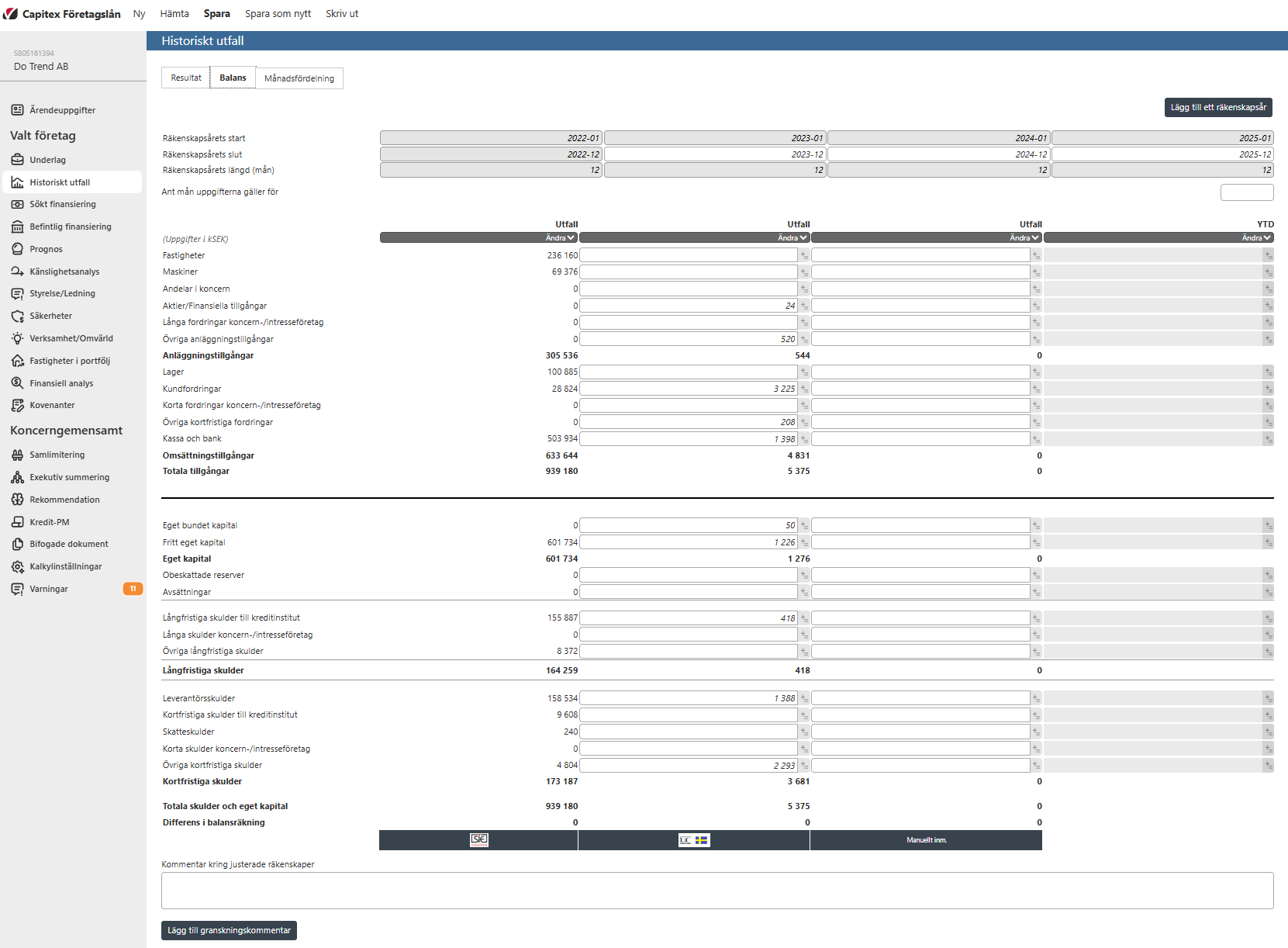
The company's balance sheet is shown here, it is retrieved automatically from the credit information company (UC, Bisnode etc) if you have chosen to do such an import. The assets are shown at the top, and the equity/liabilities are shown at the bottom.
The three most recently registered annual reports are imported (if there is a three-year history). Above the columns you can input how many months the financial year has lasted. If it is empty, the duration of the fiscal year is interpreted as 12 months.
The column on the far right "YTD", where you fill in figures from the customer's accounting for the current year. This is where you should update with the customer's current figures for the current year. First you need to enter how many months the YTD is for otherwise you can't insert any numbers. You can also import YTD data from the customer via "Kundintagsblankett" (the Excel form) or via SIE-import that are described in another part of this user manual.
It may differ regarding what the different items are called in the customer's accounting and what the different lines are called in Capitex Business Loans. You then need to map the customer's records so that they end up correctly in the program. To be able to map accounts so that they match Capitex Corporate Loan's statement for Income Statement, help is available in the appendix ”Tillgångar - mappning av poster i bokföring ” / "Assets - mapping of items in accounting"
Note! If it is not in balance, it is likely that you will need to adjust unrestricted equity by deducting or adding the Profit for the Year, which you will find on the Results tab.
Image